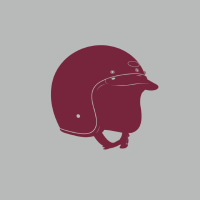
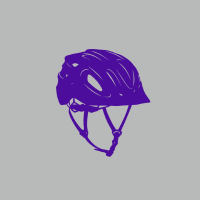
Imagine smooth, creative helmet designs, rough designs, or vintage helmet shapes, all with one simple digital brush stroke. This is the advantage of using a free helmet brush .ABR file. Get away from the timewasting exercise of laboriously sketching detailed helmets and fussing over how to shift the helmet design to a given perspective or angle. The digital brushes offer a quick and efficient way to render realistic or stylized helmets on digital art. One brush gives you all helmet types from sci-fi to historical replicas, which means it won't eat up your time in trying to sketch and re-sketch. Your focus thus remains solely on the broader artwork composition at hand.
With so much versatility, a free helmet brush .ABR file offers a multitude of creative applications. Size, orientation, and pressure dynamics of each single stroke can be manipulated, thus widening the options of helmet styles and textures that may be created. Stack up a number of brush strokes to create depth and dimension, and give brushwork some interesting helmet styles and details. In digital formats, you can also try different colorism and shading techniques to make the helmets yours. Gone are the days of struggling with perspective or line work. Digital brushes offer the freedom to easily adjust and fine-tune all helmets until they shimmer with perfection.
And there is even more room for experimenting for digital artists and designers with a helmet brush .ABR file. These brushes will serve your character designs, concept arts, or illustrations quite perfectly by helping you add a touch of realism and detail. Also, if video games or graphic novels are your thing, create engrossing visuals for each of these mediums. The digital format sets the scene for collaboration and CROSSSHARE. Share your brush file with other artists, work in a group on the helmet design project or be a part of helmet design lovers community. Embrace the power of digital brushes for their efficiency and creativity and add gloss to your digital images with those finely spun helmets and their texts, all without those limitations of traditional labor.

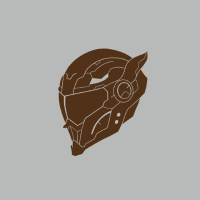
How to use this brush
- Click on the download button below.
- Another page opens up
- Click on the blue button which tells "Download Now" on the right side
- After downloading, double click and open the file in Adobe Photoshop
- Click on the brush tool of layer 1
- Click to open the brush preset picker
- Click the settings icon on the brush preset picker
- Choose the import brushes option
- Select the brush from your device that you have to import
- Make sure your brush file format is abr
- Then load the selected brush file
- It will show on last brush on your brush preset picker
- Then use the brushes
- Save your document
-
Goto File -> Export -> Export as and export your psd in the desired format you want.