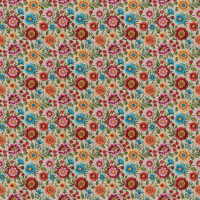
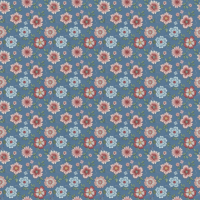
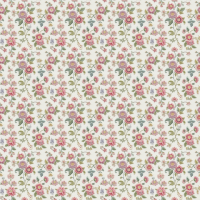
Free floral pattern .PAT files for Photoshop are a great resource for those graphic designers, digital artists, or just hobbyists who look for an easy way to apply gorgeous botanical themes to their artwork. These .PAT files contain predefined patterns that can be tiled across any area within Photoshop so that one can duly use them as a quick and easy method to place complex floral designs onto backgrounds, textures, and other elements of design. From delicate blossoms to bold tropical foliage, free floral patterns abound to satisfy many artistic styles and custom needs so that users can get the results of a professional without having to create daunting drawings on their own.
Taking it from where a .PAT extension stands for Photoshop pattern file, it stores the image data that repeats over and over. These patterns can be cladded endlessly with visual discontinuities, therefore, creating a seamless, continuous, and flowing design. These patterns are very adaptable across different uses like web design backgrounds, digital scrapbooking, textile design mockups, invitation cards, and even wallpapers. Free floral .PAT files make it possible for those with limited design experience to experiment with sophisticated patterns and elevate their visual content.
Many websites and communities provide free Photoshop resources, floral patterns being one such type. These patterns are mostly sold or given away in sets, generating a complete group of designs that can either be mixed and matched. Making these resources available democratizes design tools and encourages creativity and experimentation. Whatever design styles you are after-vintage, modern, whimsical, or elegant-free floral .PAT files are available by the dozens to find one that fits your vision to add a natural appeal to digital art.
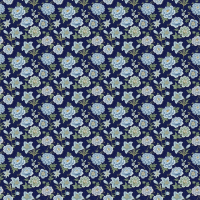
How to use this pattern
- Click on the download button below.
- Another page opens up
- Click on the blue button which tells "Download Now" on the right side
- After downloading, double click and open the file in Adobe Photoshop
- Click on the pattern stamp tool of layer 1
- Click to open pattern picker
- Click the settings icon on the pattern picker
- Choose the import patterns option
- Select the pattern from your device that you have to import
- Make sure your pattern file format is pat
- Then load the selected pattern file
- It will show on last pattern on your pattern picker
- Then use the pattern
- Save your document
-
Goto File -> Export -> Export as and export your psd in the desired format you want.